A tiny native macOS helper that types text into the previously focused app, one character at a time. Handy when you need to enter a long password or string in a browser-based remote session (VNC, RDP, a web console) where clipboard paste is blocked or unreliable.
Native SwiftUI, single source file, no third-party dependencies, ~230 KB binary.
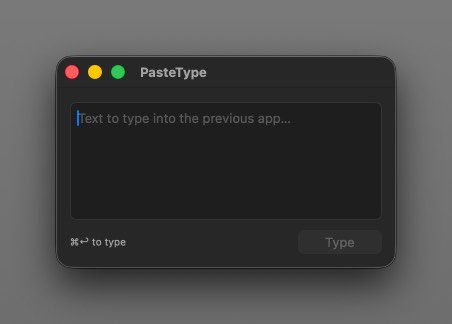
Resizable window with a multi-line editor (autocorrect, smart quotes and spellcheck disabled).
⌘↩ starts typing into the previously focused app.
How it works. Click the target field in your remote session, switch to PasteType (⌘Tab), paste your text and press ⌘↩. The app hides itself so focus returns to the previous window, waits about 400 ms, then posts the text one Unicode character at a time via CGEvent.
Requires macOS 26+. On first launch, grant the Accessibility permission (System Settings → Privacy & Security → Accessibility) and relaunch the app.